All-In-One Milky Way Time-Lapse Settings Calculator
Welcome to the Dark Sky Utah Milky Way Time-Lapse Settings Calculator! This tool provides you with exact settings for your specific gear and the location’s light pollution level. To get started, fill in the information about your gear in the fields in the calculator. If you get stuck, look to the right for a detailed explanation of each field.
Explanation and Instructions
Please fill out the form to access the free tool.
Selecting the Best Rule to Calculate Max Shutter Speed
Your first choice is to decide how you would like your stars to look in your image. Night photography is about collecting as much light as possible, so why not leave your shutter open for several minutes to gather up all that precious light? The reason you can’t leave the shutter open for several minutes to collect a lot of light is that the Earth is rotating on its axis, and after two minutes, it has rotated a half degree. Which might not sound like much, but it will make the stars in your image look like little lines instead of points of light. This phenomenon is called star trails or star trailing.
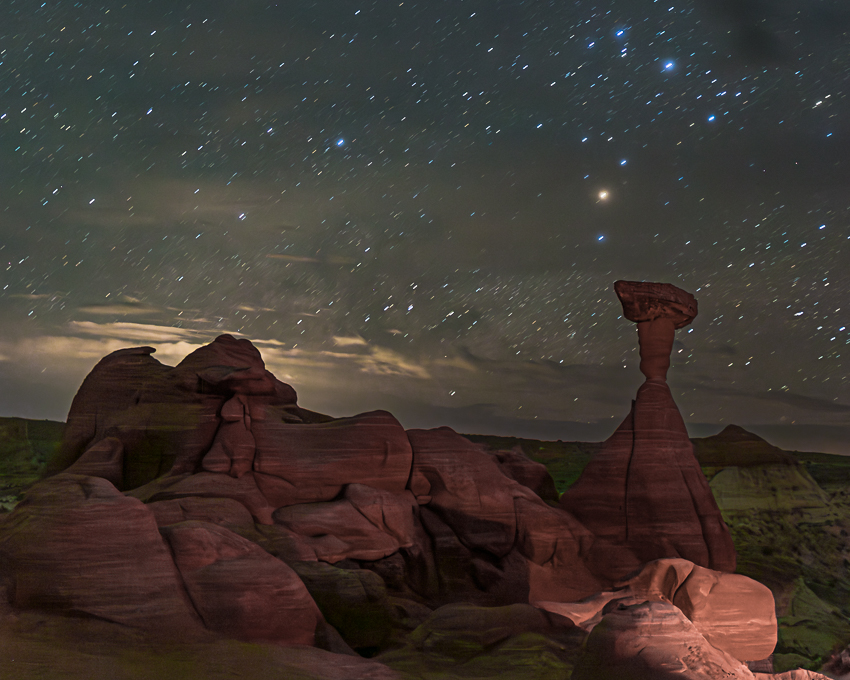
Star trails from a 63-second shutter speed.
To avoid this, we limit our shutter speed. Finding the right shutter speed is one of the most crucial steps in capturing good Milky Way photos. Now, there are two ways to calculate shutter speed, and which one you use depends on how circular you want the stars to be.
The 400 Rule will give you acceptably round stars, which may look slightly oblong when you zoom in 100% in your editing software. For most people, this is just fine, and those little oblong stars are only going to be noticed in large prints. For time-lapse photography, a little star trailing helps make our final video appear smooth. If you have a crop sensor camera, I recommend using this rule unless you have a lens wider than 20mm with a maximum aperture of f/2.8 or smaller.
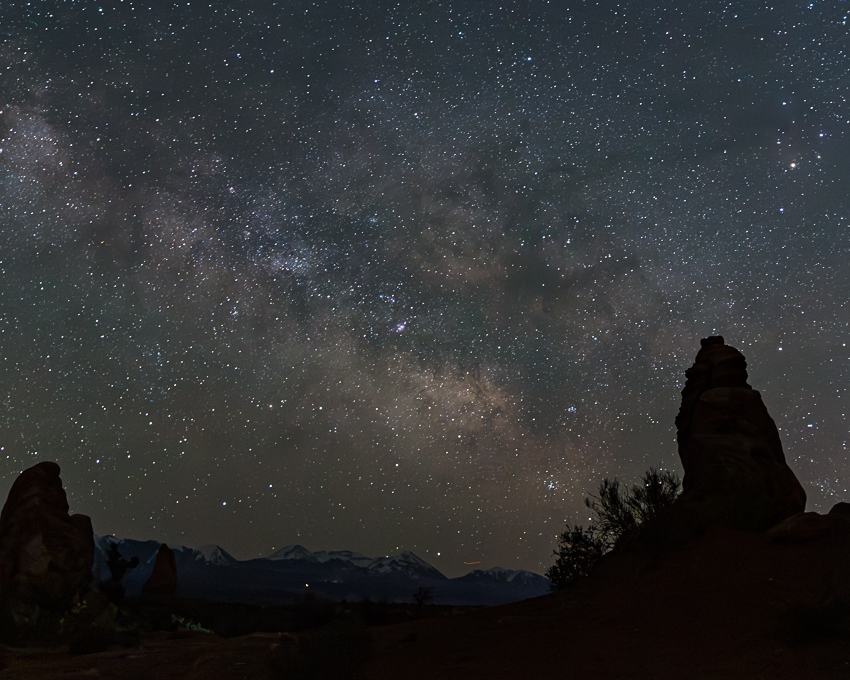
Milky Way image taken with the 400 rule.
Canon 6D 15 seconds f/3.2 at ISO 4000 with 24 mm lens
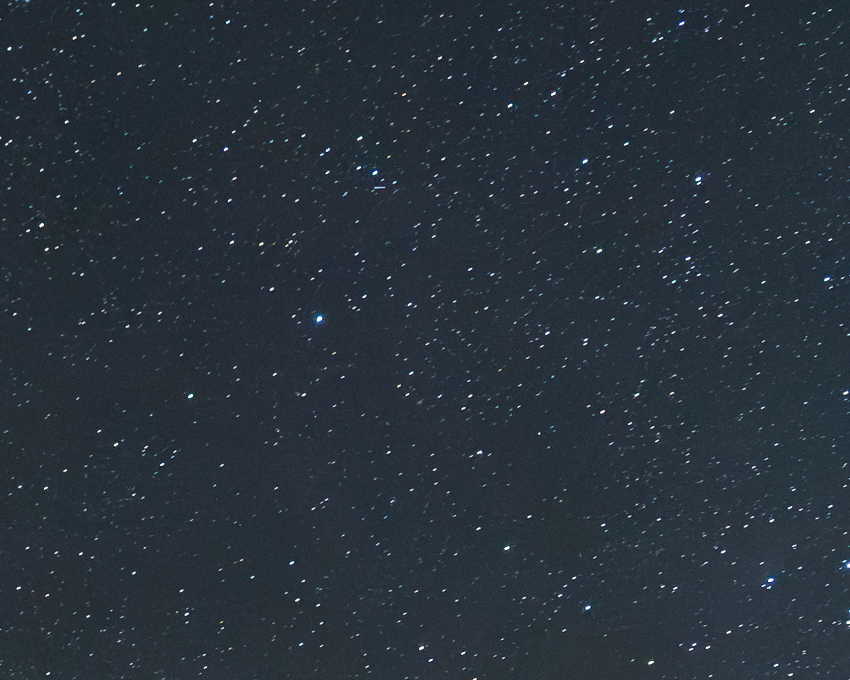
Same image, cropped, taken with the 400 rule.
Canon 6D 15 seconds f/3.2 at ISO 4000 with 24 mm lens
NPF Rule- If you plan to print the image large or really want those stars to be perfect little dots, then you can select that drop-down menu and use the NPF rule. Milky Way photography is all about trade-offs. So what do you give up for those spot stars? You give up time. To keep the stars from trailing, we have to shorten the shutter speed. Less time means less light, which means less detail and dimmer images of the Milky Way. That loss of time can be offset by increasing ISO or widening the aperture, but for some cameras and lenses, that isn’t possible. Some cameras and lenses can still gather enough light to give us beautiful images using the NPF rule. They are usually full-frame DSLR or Mirrorless cameras paired with a wide-angle and wide-aperture lens. This calculator will help you determine if your specific gear meets those requirements.
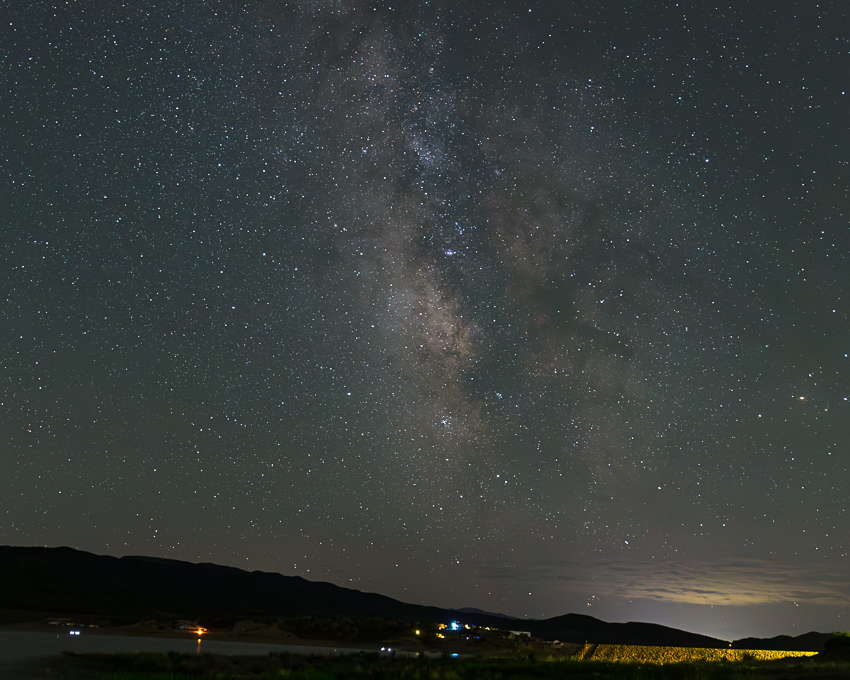
Milky Way image taken with the NPF rule.
Canon 6D 10 seconds f/3.2 at ISO 5000 with 24 mm lens
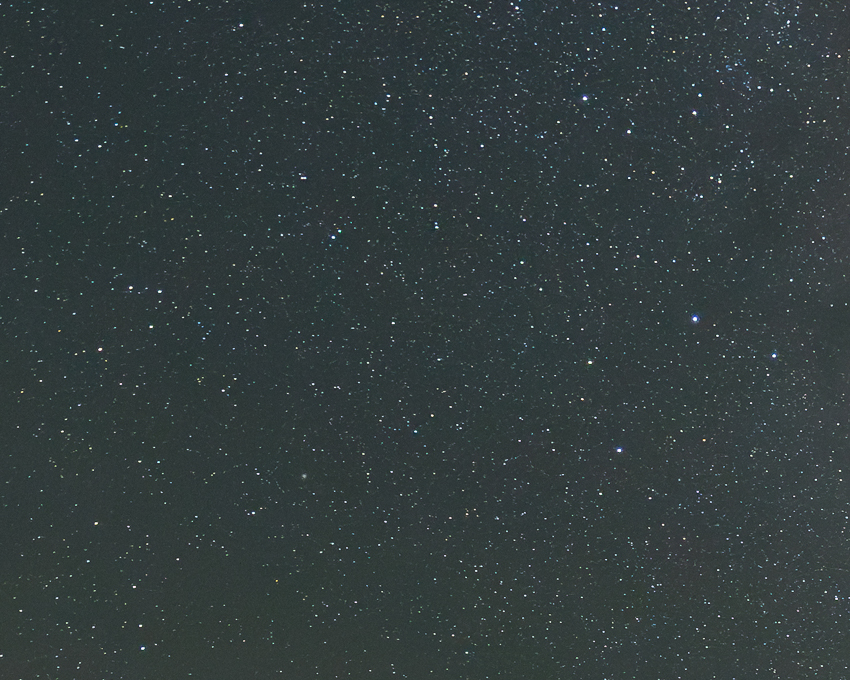
Same image, cropped, taken with the NPF rule.
Canon 6D 10 seconds f/3.2 at ISO 5000 with 24 mm lens
Entering the Correct Focal Length for Your Camera
The focal length is listed on your lens. Look on the front or side of the lens for a number that has (mm) behind it. That is the focal length. The name of a lens also includes the focal length. So the Rokinon 24mm F/1.4 Aspherical Wide Angle Lens has a focal length of 24mm. This is a prime lens, which means there is only one possible focal length and number listed. If you have a prime lens, put that number into the calculator under where it says “Focal Length of Lens (mm).”
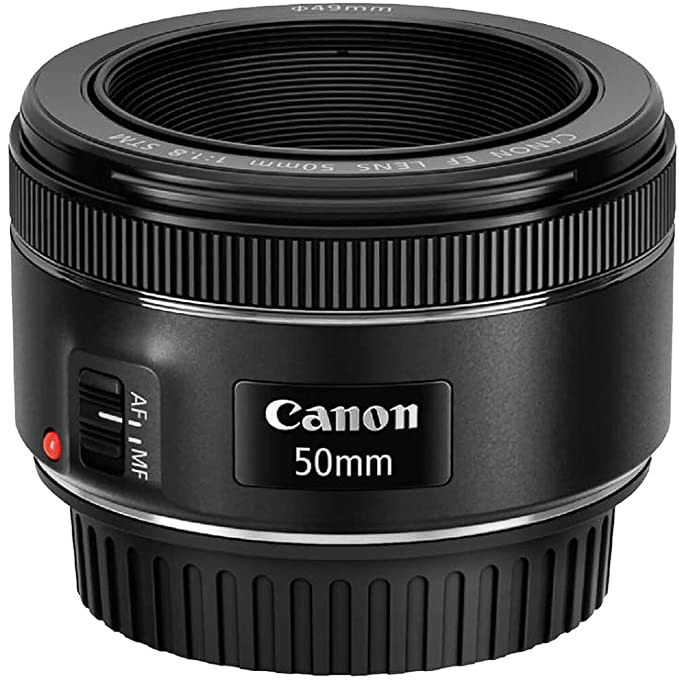
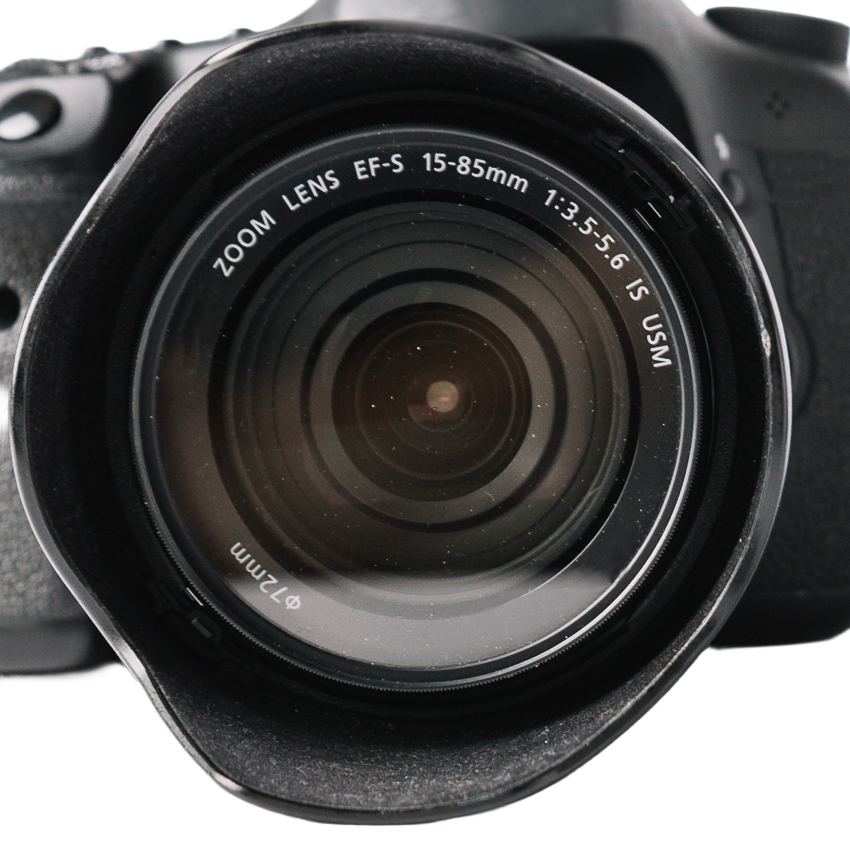
Some lenses are called zoom lenses, and they have two numbers listed on the lens. These numbers are the range of focal lengths you can choose by twisting the lens barrel. For these lenses, start with the widest possible focal length on your lens. This will give you the most time possible. Put the smallest number written on your lens into the calculator where it says “Focal Length of Lens (mm).”
What is the focal length, and why is it important to make the correct calculation?
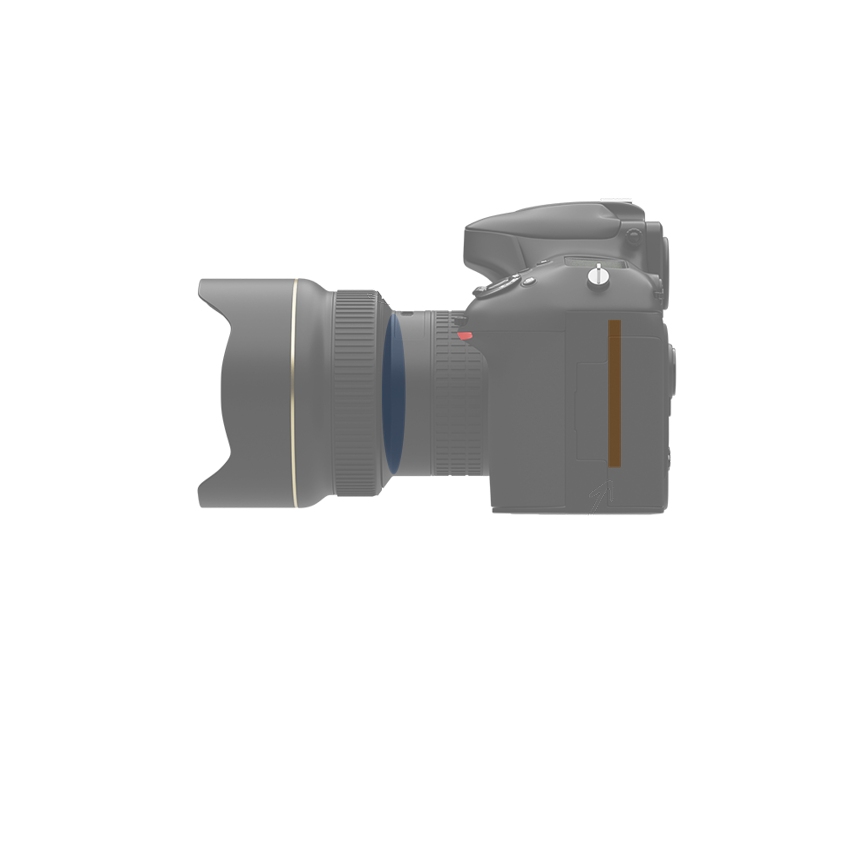
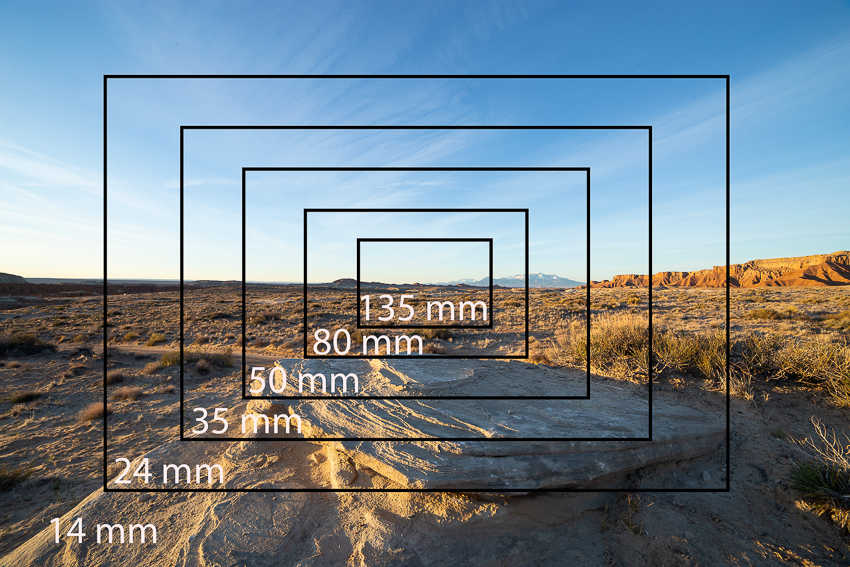
The focal length is the distance in millimeters (mm) from the camera sensor to the center of the lens. The focal length of a lens determines how much of a scene you can capture with your lens. We sometimes think of focal length as describing how “zoomed-in” a lens makes an image. Since we want to capture a large portion of the sky and the galactic core, wider lenses are used for Milky Way photography. The focal length is measured in millimeters (mm) and is listed on the lens. For focal length, the smaller the number, the wider or less zoomed in a lens is. Wider lenses can also have longer shutter speeds. The stars appear smaller in the image, and it takes longer for those small dots to start to trail.
How to Find the Maximum Aperture of a Lens (f/) and Why it’s Critical to Time-Lapse Setting
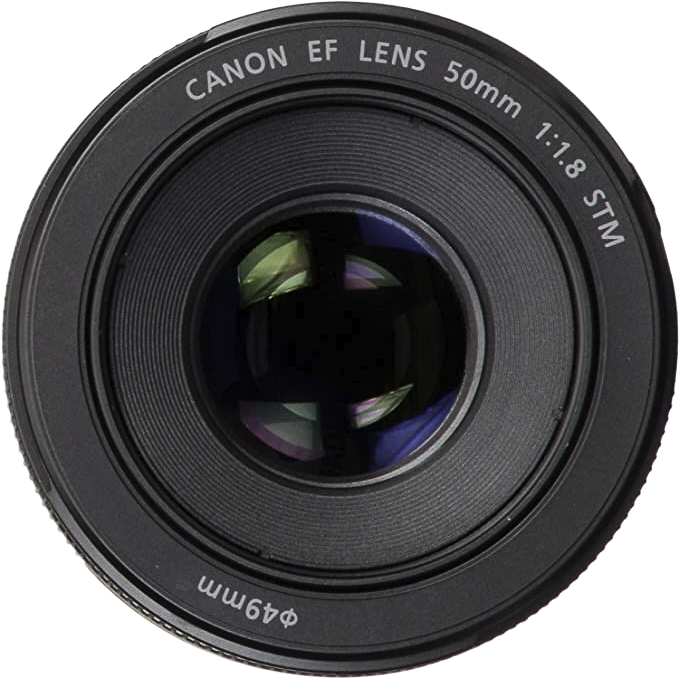
The maximum aperture is the widest aperture a lens can open to and is measured in f/stops or f/numbers. The lower the f/number, the wider the aperture. So f/1.4 is much wider and lets in more light than f/4. A lens will have the maximum aperture written on it. Usually, it is written on the front or side of the lens. Often this number will have a (1:) in front of it. For a lens with a maximum aperture of f/2.8, the lens will have (1:2.8). Find the maximum aperture listed on your lens and type that number into the calculator where it says “Maximum Aperture of the Lens.”
What if there are two numbers listed as maximum aperture?
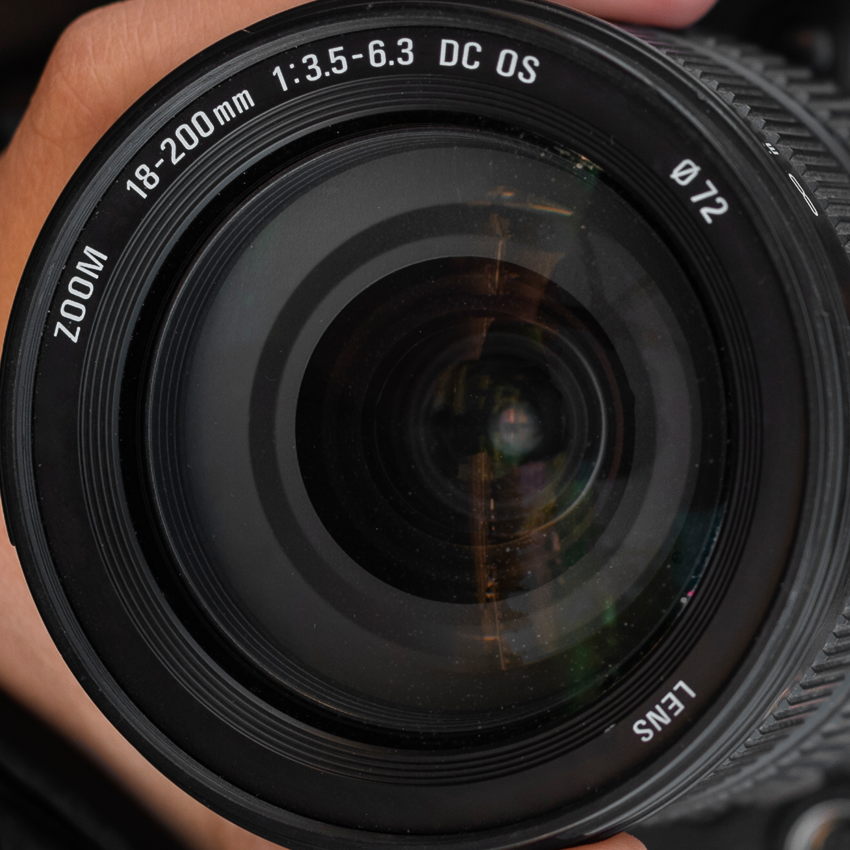
For some zoom lenses, the maximum aperture will change depending on the focal length you have set for the lens. Generally speaking, the longer the focal length, the less wide the zoom lens aperture will be able to open. So if you have a zoom lens that says 1:3.5-5.6, the maximum aperture will vary depending on the set focal length. If the lens is an 18mm-55mm zoom, then it will be able to open to f/3.5 at 18mm, but at 55mm it will only be able to open to f/5.6.
For Milky Way and Astrophotography, we want to have as low an f/number as possible to let in the most light. So you would pick 18mm and f/3.5 as your focal length and maximum aperture. If you have a zoom lens, find the lowest f/number listed on your lens and put that number into the calculator where it says “Maximum Aperture of the Lens.”
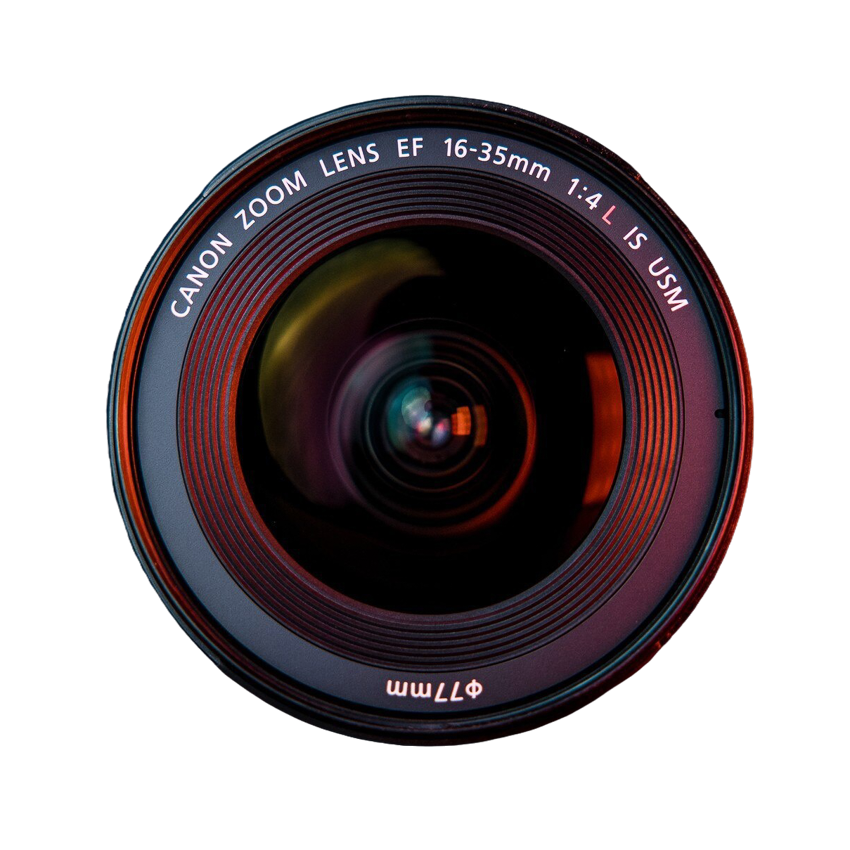
Note: There are zoom lenses that keep a constant maximum aperture at all focal lengths. Many professional-grade zoom lenses have a constant maximum aperture. So if your zoom lens only has one f/number listed, then you have such a lens.
What is Aperture?
The aperture is the part of the lens that expands and contracts to control the flow of light. It functions much like your eye’s pupils; the wider the aperture opens, the more light it can let in. When you go into a dark room, your pupils naturally open wider to let in light; when you go outside into bright sunlight, they contract to restrict light. On a lens, we can control how much light reaches the sensor by opening the aperture wider or constricting it.
For Milky Way and Astrophotography, we want to gather up as much light as possible, so lower f/numbers are more desirable.
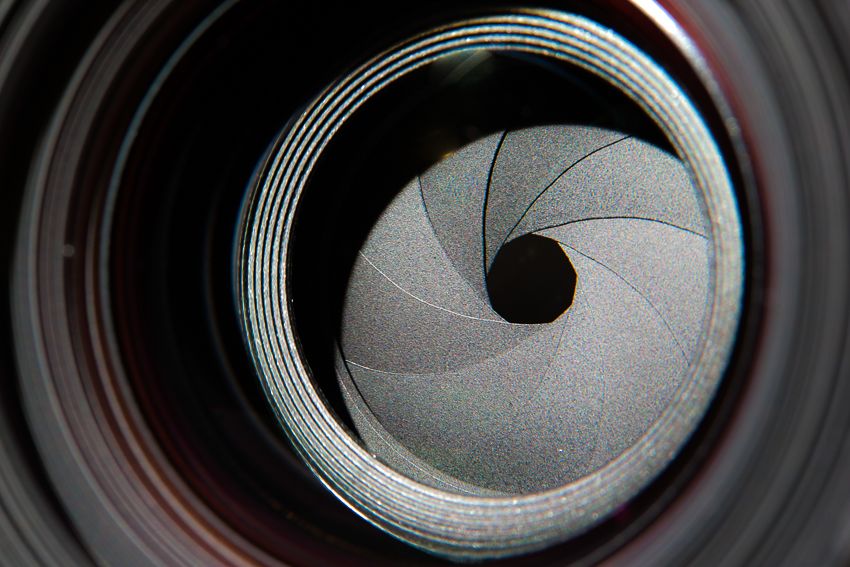
Why wide open is best for time-lapses
This calculator will suggest that you take your images at the maximum possible aperture. You may have heard that images are sharper and have better depth of field when the aperture is more constricted and has a higher f/number. That is true, and for single images, I usually set my aperture one-third stop above the maximum aperture to make the stars a little sharper. However, for time-lapses, it is best practice to take images at the maximum aperture unless you have a lens with a manual aperture. That is a lens where you set the aperture by twisting a dial on the lens.
Many lenses have electronic apertures, which means they open to the maximum aperture between images. Then they will contract to the set aperture before taking the picture. This process leads to slight variations in the actual diameter of the aperture. For still images, this isn’t a big deal, but for time-lapses, it can introduce flicker. Each image will have a slightly different brightness, and when you watch them quickly together in a time-lapse video, those changes are noticeable. So for most lenses, it is best to take time-lapse images at the maximum aperture.
How to Choose the Best Video Length for Your Milky Way Time-Lapse
To know how many pictures you need to take of the Milky Way for your time-lapse, you need to decide how long you want your final video to be. So, put the desired length of your video in seconds in the calculator, and it will tell you exactly how many images to take.
How long should a time-lapse be?
The length of the time-lapse depends a lot on where you want to show it. For social media, ten seconds is a good starting point for most time-lapse videos. If you want to have a longer video for YouTube, you could take longer time-lapses and then shorten them for Instagram. You could also post both a shorter and longer time-lapse on Instagram and see which one does best.
How to Find and Select Your Camera Model
In this drop-down menu, you will find a list of common camera sensor types to choose from. A full-frame DSLR or Mirrorless camera has sensors that are the same size as 35mm film. The other sensors listed are smaller than a full-frame camera sensor. If you aren’t sure what to choose for your camera, you can go to Google and type in “What is the sensor size of a (your specific camera model) camera?” Then, Google will tell you if your camera has a full-frame, APS-C, or Micro Four Thirds sensor. If you have an APS-C camera, select the choice with the correct camera manufacturer.
How can I determine if my camera is a DSLR or a mirrorless model?
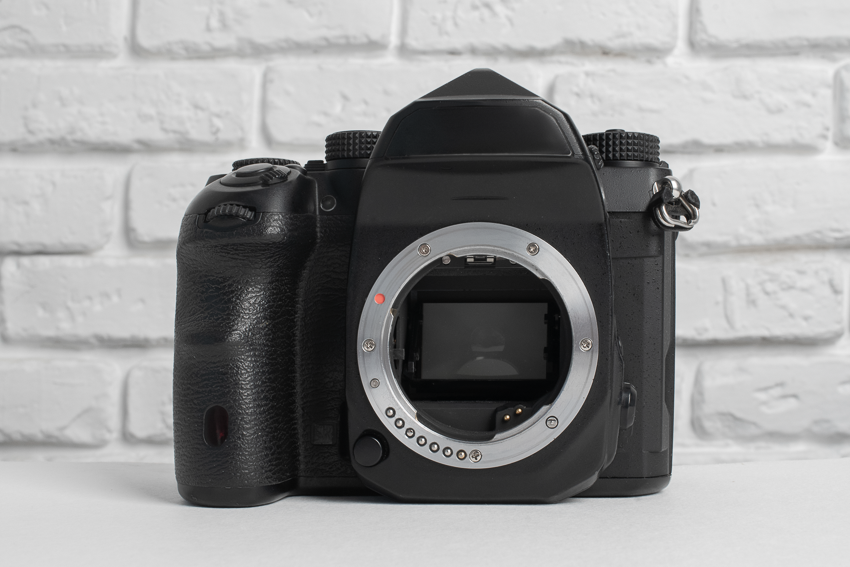
There are ways to determine the type of camera. If you take off the lens and see a mirror in front of the sensor, then you have a DSLR camera. You can also go to Google and type in “Is the (your specific camera model) a DSLR or Mirrorless?” Then Google’s AI overview or some of the search results will tell you what kind of camera you have.
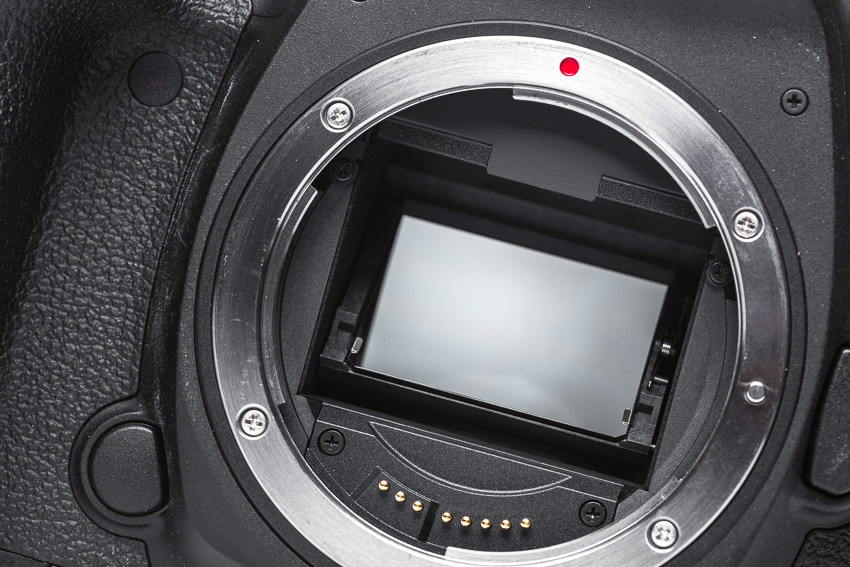
A DSLR camera has a mirror
What is the difference between DSLR and Mirrorless?
A DSLR camera has a mirror in front of the sensor that shines light up into the viewfinder when the camera is not taking a picture. Then that mirror flips up out of the way so the light can reach the sensor.
Mirrorless cameras do not have a mirror. They also have an electronic viewfinder. You are looking at a digital image, not actual light through the lens. Generally speaking, Mirrorless cameras have newer sensors that are more sensitive to light and can handle higher ISO settings with less noise.
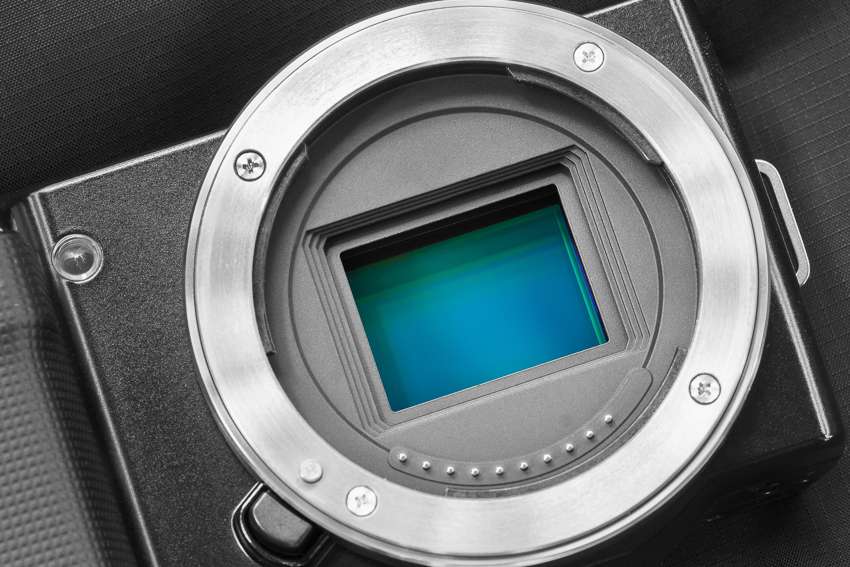
A mirrorless camera
Figuring out the Light Pollution Level (Bortle Scale) of Where You Will Be Shooting
Light pollution is a big factor in Milky Way photography, and where we take pictures can make a big difference. Light pollution is measured on the Bortle scale. This scale ranges from 1 to 9, with 1 being the darkest skies and 9 being the brightest. If you know the bortle rating of your intended photoshoot location, you can select that rating from the drop-down menu.
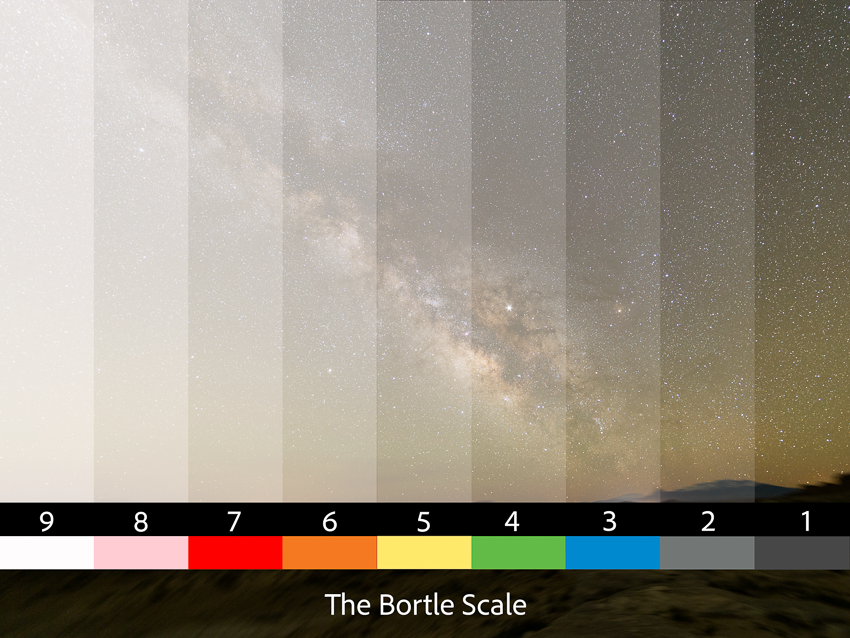
If you don’t know the Bortle rating, you can look up that information by typing the location into the optional “Look up Bortle Rating by Location” box and clicking Go. It will open a new search tab to find the Bortle rating of your location. Once you have that information, you can click back to the calculator tab and select that Bortle rating for your location in the drop-down menu.
About Carly Stocks & Dark Sky Utah
Carly Stocks is an award-winning photographer who is passionate about teaching others how to capture the Milky Way. Carly spent seven years teaching high school physics and now brings her expertise to her courses and content. She’s spent years photographing the Milky Way and honing her skills. From presenting at the NightScaper Conference, being published in USA Today, and winning international photography competitions, she’s learned what works. Carly has developed workflows and techniques that remove the guesswork, so you can easily capture night sky images you’re proud of.